What Matters
The safest way to test an AI trading agent you discovered on YouTube or TikTok is to assume the video proves nothing about custody, security or profitability. Start with screenshots and paper trades, then move through read-only data, sandbox execution and tightly capped live trading. Never begin by giving an unknown bot withdrawal access, a seed phrase, broad wallet approvals or unrestricted exchange credentials.
DN Evidence Block
Last verified: 25 October 2026. Scope: current official API-security guidance from Binance, Kraken and Coinbase, plus OpenAI guidance on agent permissions, guardrails and human approval for consequential actions.
Decisive facts: major exchanges separate read, trade and transfer/withdrawal capabilities; Binance recommends IP restrictions before enabling permissions beyond read access, Kraken recommends least privilege and separate API keys, and Coinbase documents distinct View, Trade, Transfer and Manage permissions. OpenAI’s agent guidance similarly treats financial transactions and other difficult-to-reverse actions as higher-risk operations that warrant stronger approval boundaries.
DN contribution: a 10-step risk ladder, a permission matrix and a kill-switch checklist designed for retail traders evaluating unfamiliar AI-agent demos.
Limits: this is a safety and testing framework, not an endorsement of any creator, bot, model, strategy or exchange. No live capital was delegated to third-party agents for this article, and no profitability claim in a social-media video should be treated as independently verified unless the underlying records can be audited.
Why social-media AI trading demos deserve a different standard
A persuasive video can compress weeks of selective results into 30 seconds. You may see a clean equity curve, an agent explaining its reasoning, a creator showing a profitable trade, or a dashboard claiming a high win rate. None of those things answers the questions that matter most: What permissions does the software receive? Can it move funds? Where are credentials stored? Can it place leveraged orders? What happens if the model hallucinates, the strategy loops, an API fails, or the creator’s infrastructure is compromised?
The correct unit of trust is therefore not the video or even the model. It is the full execution path: source code or service, model, prompt, market data, wallet or exchange connection, permissions, position limits, order controls, logging and emergency shutdown.
Immediate stop signs
- The bot asks for your seed phrase or private key.
- An exchange API key requires withdrawal or transfer permission for a strategy that only needs to trade.
- The creator insists that IP restrictions, 2FA, subaccounts or spending limits must be disabled.
- The software is distributed as an opaque executable from an unverified file host and asks for wallet/browser permissions.
- The pitch focuses on win rate, guaranteed returns or urgency but provides no complete loss history, drawdown data or independently inspectable records.
- You cannot explain what the agent is allowed to do before connecting it.
1. Reproduce the idea without connecting any account
Start by writing down what the agent supposedly does: the market, timeframe, inputs, output, entry logic, exit logic, leverage, rebalancing frequency and any external tools. If the video does not provide enough information to describe the system without marketing language, you do not yet have a testable strategy.
At this stage, use screenshots, exported data or public market data only. Ask the agent to generate signals or commentary but give it no ability to act. You are testing whether its reasoning is coherent and repeatable, not whether a cherry-picked clip looked impressive.
2. Run historical and walk-forward tests before paper trading
Backtests are not proof of future performance, but they can expose obvious defects: look-ahead bias, unrealistic fills, excessive turnover, leverage that would have liquidated the account, or a strategy whose apparent edge disappears after fees. Separate the data used to design the strategy from later data used to evaluate it.
Record gross P&L, net P&L after fees, maximum drawdown, turnover, exposure, worst trade, worst day, number of trades and performance across different market regimes. A 90% win rate can still lose money if the losing trades are much larger than the winners.
3. Paper trade with live data
Paper trading introduces latency, real-time decisions and changing market conditions without putting capital at risk. Let the agent operate long enough to encounter quiet markets, volatility, missing data and failed signals. Compare intended orders with hypothetical fills and keep a log of every action the agent wanted to take.
Do not shorten this phase because the first few trades work. A useful test is designed to discover failure modes, not to confirm enthusiasm.
4. Use read-only API access before trade access
If the agent needs balances, open positions or account history, start with the narrowest read-only credential available. Binance distinguishes secure endpoint permissions and notes that keys can be configured for specific types of access. Kraken likewise recommends minimal permissions and separate keys for separate applications. [1] [2]
Read-only access lets you evaluate whether the service handles credentials, reconnects and account state correctly without giving it the power to place orders. If a product cannot function at all without immediately receiving trading or transfer authority, that is a reason to scrutinise the architecture more closely.
5. Create a dedicated subaccount or isolated wallet
Do not attach an experimental agent to the account that holds your long-term savings. Where the venue supports it, use a dedicated subaccount with its own API key and a deliberately small balance. For on-chain experiments, use a separate wallet created specifically for testing, funded only with the amount you are prepared to expose.
Isolation changes the failure ceiling. A bug can still lose the test allocation, but it does not automatically inherit access to unrelated assets or records.
6. Grant trade permission without withdrawal permission
This is one of the most important boundaries. Coinbase Exchange documents separate View, Trade, Transfer and Manage permissions. Kraken explicitly recommends least privilege and warns against unnecessary withdrawal or address-management permissions. [2] [3]
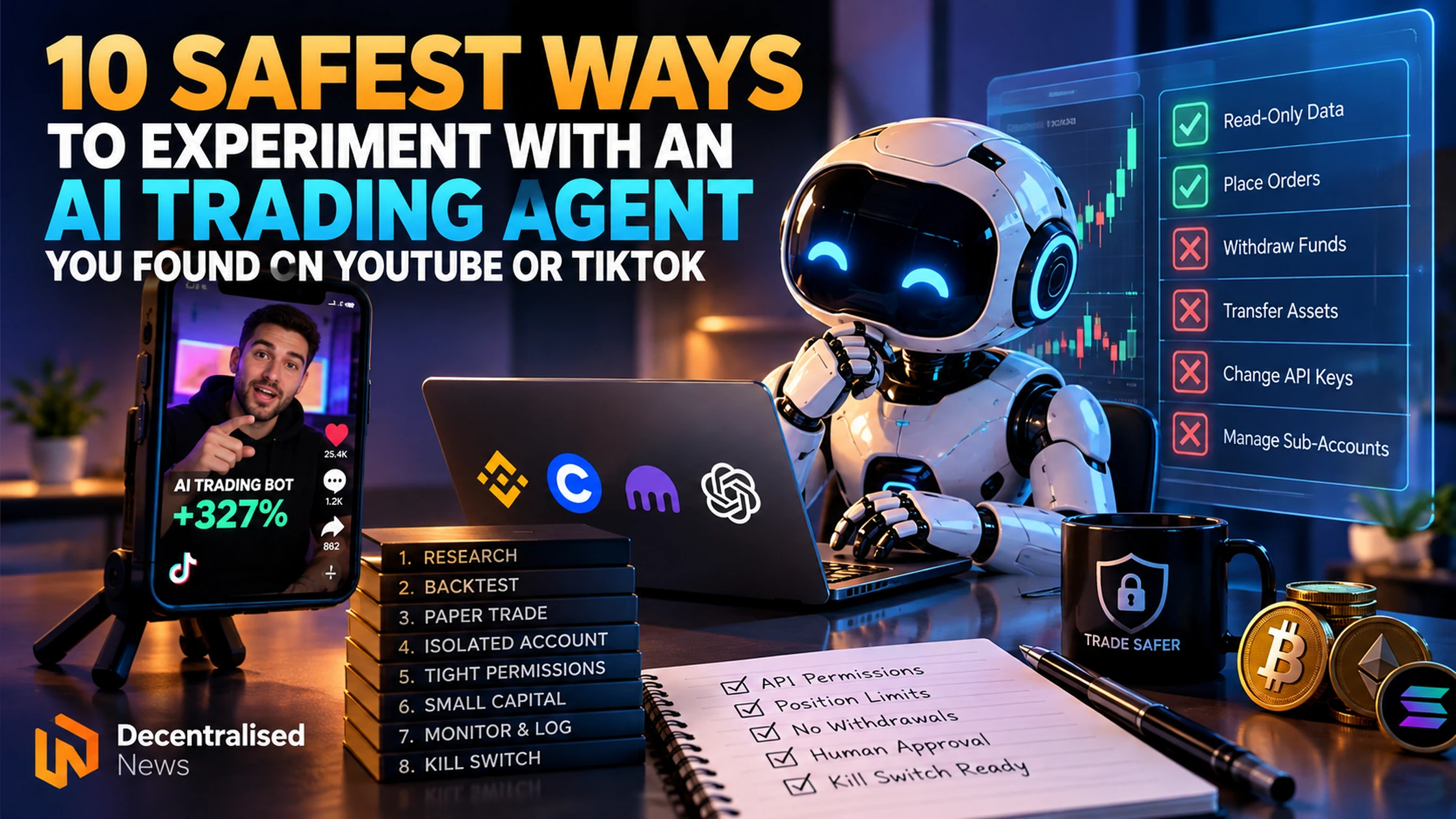
If an agent only needs to place and cancel orders, a request for transfer or withdrawal authority should be treated as a design problem that requires a clear explanation. Where possible, disable transfers entirely, use IP allowlisting and give each application its own key.
7. Cap position size, leverage and daily loss outside the model
Do not rely on the model to remember its own risk limits. Enforce the limits in the exchange configuration, execution wrapper or separate risk-control layer whenever possible. The agent should not be able to override them with a clever justification.
Useful controls include a maximum order size, maximum total exposure, maximum leverage, allowed markets, maximum number of simultaneous positions, daily loss limit and maximum orders per minute. The safest control is one the agent cannot edit.
8. Require human approval for consequential changes
An agent may be allowed to propose a larger position, new market, new wallet, new API scope or strategy change; that does not mean it should be able to approve its own request. OpenAI’s current agent guidance treats sensitive or difficult-to-reverse actions as candidates for human approval and recommends tool-level safeguards around consequential actions. [4] [5]
A practical rule is simple: routine actions may be automated inside a pre-approved envelope; changes to the envelope require a human.
9. Build a kill switch and rehearse it
Before the first live trade, know how to stop the agent without asking the agent for permission. That usually means being able to revoke the API key, disable the service, close positions manually and remove wallet approvals independently.
Rehearse the sequence with no money at risk. If the shutdown procedure is confusing during a calm test, it will be worse during a fast market.
10. Start with an amount small enough to lose completely
Only after the earlier stages pass should you consider a live-capital trial. The initial allocation should be small enough that a total loss, software failure or unrecoverable operational mistake would not materially affect you. Do not scale because of one profitable day. Scale only after the system has produced enough logged evidence to justify a larger risk budget.
As capital increases, repeat the permission and failure review. A setup that is acceptable for a tiny experiment may be inappropriate for meaningful savings.
DN AI Trading Agent Safety Ladder
| Level | What the agent can access | Capital at risk | Pass condition |
|---|---|---|---|
| 0 — Observe | Public information only | None | You can explain the strategy and its dependencies. |
| 1 — Backtest | Historical data | None | Results survive fees, realistic fills and unseen data. |
| 2 — Paper | Live market data, simulated execution | None | Stable operation through real market conditions. |
| 3 — Read only | Dedicated account data | None from agent actions | Credentials and account state are handled correctly. |
| 4 — Isolated trade | Trade-only key or isolated wallet | Small capped allocation | No transfer authority; hard limits are enforced externally. |
| 5 — Controlled live | Pre-approved markets and actions | Still capped | Logs, alerts, kill switch and human escalation all work. |
| 6 — Scale review | No broader permissions by default | Increase only deliberately | Evidence justifies more risk without weakening controls. |
The permission matrix to check before connecting anything
| Permission | Typical need | Default for an unknown social-media agent | Why |
|---|---|---|---|
| Public market data | Signals, prices, indicators | Allow | No private account authority. |
| Account read | Balances, positions, history | Only after paper testing | Still exposes sensitive financial information. |
| Place/cancel trades | Execution | Only in isolated account with limits | Can directly create losses. |
| Margin/leverage changes | Some strategies | Restrict or preconfigure manually | Can sharply increase loss speed. |
| Transfer funds | Rarely needed for trading | Off | Expands the blast radius beyond trading losses. |
| Withdraw funds / manage withdrawal addresses | Not required for ordinary bot execution | Off | Compromise can become asset theft. |
| Seed phrase/private key | Not a legitimate requirement for a hosted trading bot | Never share | Provides wallet-level control. |
What to verify about the creator or product
Separate identity evidence from performance evidence. A large following does not prove the strategy works, while an anonymous developer is not automatically malicious. Look for an inspectable product history, clear documentation, transparent permission requirements, security practices, reproducible tests, realistic discussion of losses and a way to revoke access.
If the creator publishes performance, ask whether it is a backtest, paper account or live account; whether fees and funding are included; whether losing periods are shown; whether deposits and withdrawals are separated from trading P&L; and whether the time window was selected after the result was known.
What to do if you already connected a suspicious agent
Stop new automated actions, revoke or rotate the relevant API key, inspect permissions and recent activity, remove unnecessary wallet approvals, and check open orders and positions directly through the venue or wallet. If transfer or withdrawal credentials were exposed, treat the event as a credential compromise rather than merely a bad strategy. Use the provider’s official security and support channels.
FAQ
Is it safe to give an AI trading bot my API key?
Only after you understand the provider and permissions. Start read-only, use a dedicated key, restrict IPs where available, isolate the account, and do not enable withdrawals for a bot that only needs to trade.
Should an AI trading agent ever need my seed phrase?
A hosted trading service should not require your seed phrase. A seed phrase controls the wallet itself. If a workflow genuinely requires self-custodial signing, use a purpose-built isolated wallet and a signing design that does not reveal the seed phrase to a third party.
What is the safest first live test?
A dedicated account or wallet with a deliberately small balance, trade-only permissions, external position and loss limits, full logging and a rehearsed kill switch.
Does paper-trading success prove an AI agent is profitable?
No. Paper fills can differ from live fills, and live trading introduces fees, slippage, latency, liquidity constraints and operational failures. Paper trading is a filter, not proof.
What is the biggest red flag in an AI trading bot video?
A request for broad account authority before the product has earned trust—especially seed phrases, withdrawals, transfers, unrestricted API permissions or disabling security controls.
Sources and methodology
- Binance Developer Docs — REST API security and permission types; see also Binance support guidance on API-key permissions and IP restrictions.
- Kraken Support — API Key Security and its September 2026 guidance on withdrawal-address permissions.
- Coinbase Help — API key creation and permission types.
- OpenAI — Guardrails and human review.
- OpenAI Help — Managing app permissions.
Method: DN mapped documented permission boundaries and agent-oversight principles into a staged retail testing process. The framework prioritises reversibility, least privilege, isolation and externally enforced limits. Product-specific settings change; verify them in the provider’s current interface before use.
Disclosure: Decentralised News may earn compensation from some commercial links elsewhere on the site. No affiliate relationship changes the safety standard in this article. This content is informational and does not constitute financial, investment or security advice.
About the Author