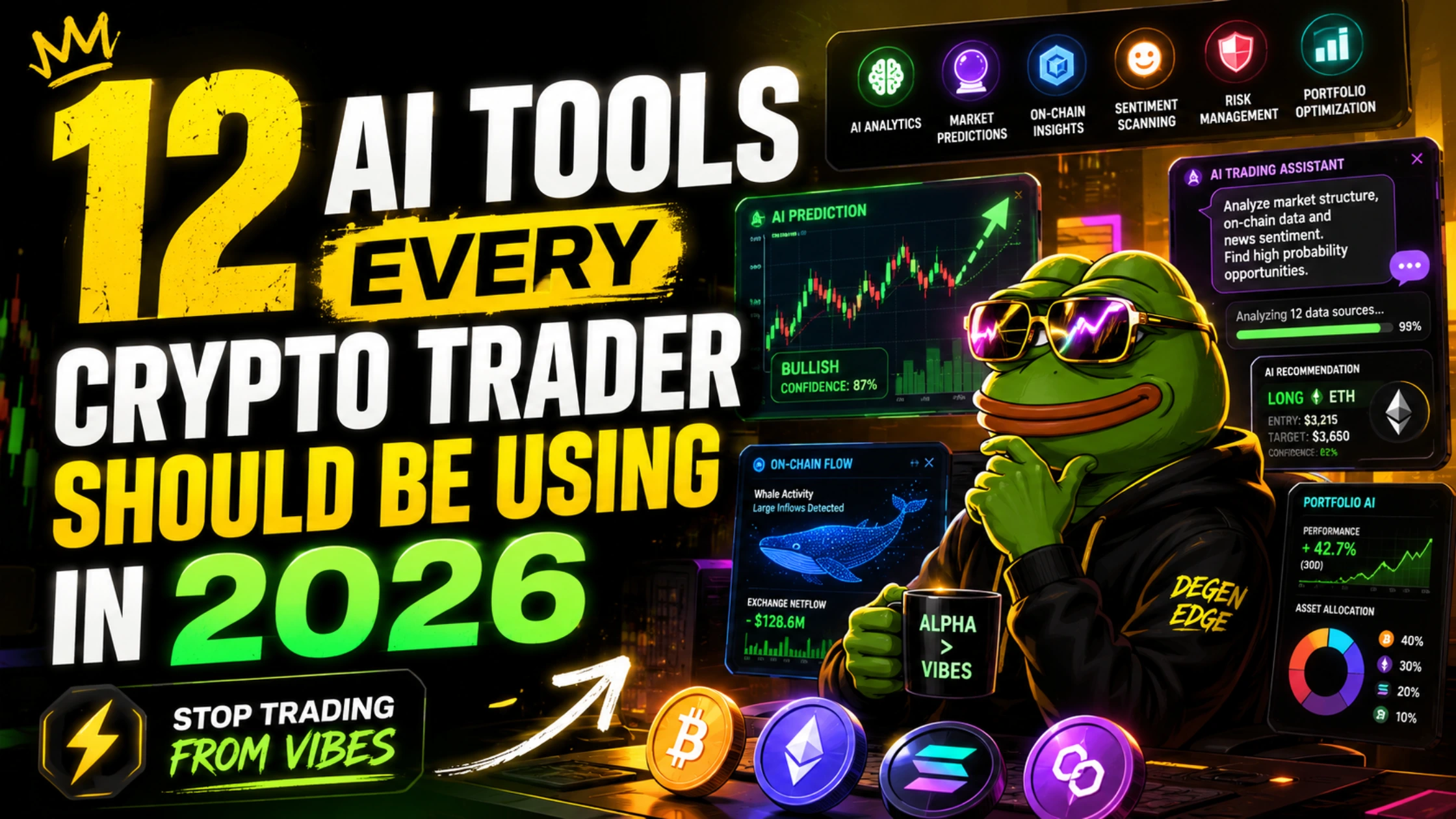
DeepSeek, Kimi, Dune AI, NotebookLM, ArbitrageScanner, Grok 4 and 6 more — the 12 AI tools giving crypto traders an unfair edge in 2026 that almost nobody talks about.
SUMMARY: The 12 most underused AI tools for crypto traders in 2026 are: (1) DeepSeek V4 — free, 27x cheaper than GPT-4, best for quantitative mathematical analysis of on-chain data; (2) Kimi K2.5 — 1 million+ token context window, best for simultaneous analysis of full protocol whitepapers and audit reports; (3) Grok 4 — real-time X/Twitter data access for social sentiment fusion with on-chain signals; (4) Perplexity AI Finance tab — cited, real-time sourced research with current crypto prices and regulatory updates; (5) Claude Projects — persistent AI trading analyst that maintains context across sessions; (6) TradingView AI — built-in AI that writes Pine Script and explains indicators without leaving the platform; (7) Dune MCP — natural language on-chain queries launched March 2026 covering 100+ chains without needing SQL; (8) Google NotebookLM — source-grounded document analysis for whitepapers, eliminating hallucinations; (9) ArbitrageScanner.io — real-time AI arbitrage opportunity detection across 50+ exchanges; (10) 3Commas Signal Bot with AI — marketplace strategy selection using AI regime classification; (11) Coinigy — AI-enhanced multi-exchange charting and portfolio tracking; (12) ASCN.ai — automated signal delivery and copy-trading automation with AI pattern recognition. These tools are not the ones in ads. Most traders have heard of only two or three of them.
The tools nobody talks about
There is a predictable hierarchy in crypto trading tool coverage. The platforms with the largest affiliate budgets appear in every “best tools” list. The platforms with smaller budgets or no affiliate programme at all — often the ones with the most genuine utility — appear in almost nothing.
This list is built on the inverse principle. Every tool on it was selected because it solves a specific problem better than the advertised alternatives, not because it pays the highest referral commission. Where affiliate relationships exist, they are disclosed. Where they do not, the tool is included anyway.
Twelve tools. Most traders have heard of two or three of them. All twelve are available today, most for free or under $30 per month. The traders who have already built their workflows around these tools have an information processing and execution advantage over traders who have not.
Here is what you are missing.
Tool 1: DeepSeek V4 — the free quantitative analyst
Cost: Free at chat.deepseek.com | API: ~$0.28 per million input tokens What most traders think it is: A Chinese ChatGPT knockoff What it actually is: The best free mathematical reasoning engine available for on-chain data analysis
DeepSeek V4 is approximately 27 times cheaper than comparable closed models per API token. Its mathematical reasoning capability scores competitively with GPT-4o on quantitative benchmarks. For on-chain traders who want to run calculations — Z-scores on MVRV readings, statistical deviation analysis on funding rates, Sharpe ratio estimation on a strategy across historical data — DeepSeek produces correct, step-by-step mathematical output at a fraction of the cost of any commercial alternative.
The specific workflow that works: Export 90 days of daily BTC funding rate data from CoinGlass as a table. Paste it into DeepSeek with this prompt: “Calculate the mean and standard deviation of this dataset. Identify every day where the reading exceeded 2 standard deviations from the mean. For each anomaly, state the magnitude and whether subsequent readings reverted toward the mean within 7 days. Show your working.” The mathematical chain of reasoning arrives correctly structured, with each calculation shown.
The privacy caveat: DeepSeek is hosted in China. For analysis using public market data, this is irrelevant. For traders who want to protect proprietary strategy details, the open-source DeepSeek model runs locally via Ollama or LM Studio on a reasonably powerful consumer GPU. Zero cloud exposure.
Why traders don’t use it: The “Chinese AI” association creates unfounded hesitation. The free model at chat.deepseek.com is fully functional for the mathematical analysis workflow described above and requires no API setup.
 Tool 2: Kimi K2.5 — the whitepaper destroyer
Cost: Free tier available at kimi.ai | Subscription for extended access What most traders think it is: An obscure Asian AI model What it actually is: The only AI model with a 1M+ token context window — enough to process a full protocol stack in one session
Every other AI model on this list cuts off somewhere between 128,000 and 200,000 tokens. Kimi K2.5 processes more than 1 million tokens in a single session. For crypto traders who need to simultaneously analyse a full whitepaper, a complete audit report, a year of governance forum discussions, and the protocol’s code documentation, Kimi is the only model that can hold all of it at once without losing track of earlier content.
The specific workflow that works: Find a new DeFi protocol you are considering allocating capital to. Download the whitepaper (typically 40–80 pages), the Certik or Trail of Bits audit report, and any governance proposals from the last six months. Paste all three into Kimi. Then ask: “Cross-reference the whitepaper’s claims about fee distribution with what the audit report found about the fee contract. Does the implementation match the documentation? Identify any discrepancies.” Kimi reads all three documents simultaneously and identifies discrepancies that a human researcher would miss because they would read the documents sequentially rather than in parallel.
Why traders don’t use it: Almost no Western crypto coverage mentions Kimi. Its marketing is minimal in English-language markets. The tool is built by Moonshot AI, a Chinese research company, and faces the same unfounded geographic hesitation as DeepSeek.
Combine with: Use Kimi for long-document ingestion and initial cross-reference identification. Export Kimi’s findings and paste them into Claude for the structured analytical output and trading implication framework.
 Tool 3: Grok 4 — real-time sentiment fusion
Cost: X Premium+ subscription (~$22/month) What most traders think it is: Elon Musk’s ChatGPT What it actually is: The only AI with real-time access to the full X/Twitter data feed — irreplaceable for social signal fusion
Grok 4 does something no other AI model in the world can do: query the entire X/Twitter firehose in real time and reason about it simultaneously with any other data you provide. For on-chain traders, this creates a fusion capability that has no equivalent.
The specific workflow that works: You have just identified a significant on-chain event — 8,000 BTC moved from a cold wallet that has been dormant for three years to a known exchange deposit address. Before you react, you need to know: what are the most credible crypto analysts saying about this? Is it correlated with any narrative shift? Are any smart money accounts expressing a view? Open Grok 4, describe the on-chain event, and ask it to “search X from the last 2 hours for any discussion of this wallet or this move, identify the analysts who have commented on it, summarise their interpretations, and tell me whether the sentiment is consensus or divided.” Grok searches X live and returns a synthesised summary of analyst reactions within 30 seconds.
The secondary use case: Ask Grok to monitor a specific token’s mention velocity. “Track how often [token] has been mentioned on X in the last 7 days compared to the prior 7 days. Is mention frequency increasing or decreasing? What is the dominant sentiment in the mentions — bullish, bearish, or speculative?” This is a live sentiment tracker that updates every time you ask, with no data subscription required beyond the X Premium+ fee you already pay if you use X seriously.
Why traders don’t use it: Most traders have Grok enabled but treat it as a conversational chatbot. The real-time X data access feature — the thing that makes Grok categorically different from every other AI — goes unused by the vast majority of subscribers.
 Tool 4: Perplexity Finance — cited research, zero hallucination risk
Cost: Free (limited queries) | Pro $20/month What most traders think it is: A fancy search engine What it actually is:The only AI research tool that cites every claim with a source link — making it the safest tool for regulatory, news, and fact-sensitive research
Every other AI model on this list can hallucinate — generate plausible-sounding but factually incorrect information. Perplexity is architecturally different: it sources every claim from a live web search and shows you the citation link. If the information is wrong, the source is wrong, not the AI — and you can click through to verify immediately.
For crypto traders, Perplexity’s Finance tab is specifically calibrated for financial queries. It provides real-time asset prices, market cap data, volume metrics, and sourced news summaries with citations. Ask “What is the current regulatory status of crypto in the United Arab Emirates and when was the most recent policy update?” and Perplexity returns a cited answer sourced from official UAE government documents, not from a language model’s training data that may be months out of date.
The specific workflow that works: Before entering any position on an altcoin, run a Perplexity search: “Has there been any regulatory action, legal proceedings, or enforcement related to [token name] in the last 90 days?” Perplexity searches the live web and returns sourced findings. This takes 15 seconds and eliminates the risk of entering a position days before a regulatory announcement that was already public knowledge somewhere.
The n8n automation: For traders who want automated daily briefings, an n8n workflow template is publicly available that connects Perplexity’s API to Google Sheets (which reads your portfolio) and delivers a Perplexity-sourced daily intelligence briefing for your specific holdings to Telegram — all without any manual input. The workflow runs at a scheduled time each morning, queries Perplexity for news on each portfolio asset, and delivers a formatted summary with citation links.
Why traders don’t use it: The “search engine” framing undersells it. Perplexity’s value is not finding web pages — it is producing synthesised, sourced answers that would take 30 minutes of manual research to verify independently.
 Tool 5: Claude Projects — your persistent AI trading analyst
Cost: Claude Pro $20/month What most traders think it is: A chat interface for asking questions What it actually is: A persistent, context-maintaining AI analyst that remembers your full trading framework across every session
Standard Claude conversations start fresh every time. Claude Projects changes this. A Project maintains a persistent system prompt — your full analytical framework, your trading rules, your risk parameters, your current open positions, your preferred metrics — across every conversation in that project. Every time you paste new data into the project, Claude already knows everything you have told it previously.
The setup that transforms your workflow: Create a Claude Project titled “Daily Trading Analysis.” In the Project Instructions, paste your complete analytical framework:
“You are my personal on-chain trading analyst. My primary instruments are BTC/USDT spot and perpetuals on Bybit and BloFin. My risk framework is maximum 5% of portfolio per position. My analytical hierarchy: (1) MVRV Z-Score for macro cycle positioning, (2) Funding rate for derivatives sentiment, (3) Exchange net position change for medium-term direction, (4) Social volume for short-term momentum. My current open positions are: [update this section weekly]. I only want to hear about setups with clear invalidation conditions. Output format: Signal / Confidence / Key metric / Invalidation threshold.”
Every subsequent conversation in this project starts with that context already loaded. Paste today’s data and ask “update my analysis.” Claude responds with the specific signal interpretation without you re-establishing the framework from scratch. Over time, the project becomes an accumulated analytical record — you can scroll back through previous sessions and see how signals evolved.
Why traders don’t use it: Most Claude users do not know Projects exist. It is not prominently advertised. The feature is available to all Claude Pro subscribers and accessible from the left sidebar in claude.ai.
For traders executing positions based on Claude Project analysis, Bybit provides the deepest BTC and ETH perpetuals liquidity, and BloFin delivers the competitive maker fees for the high-conviction, disciplined entries that systematic AI analysis produces.
 Tool 6: TradingView AI — the feature you’re paying for but ignoring
Cost: Included in TradingView Pro ($12.95/month) and above What most traders think it is: The chart platform What it actually is: A built-in AI assistant that writes Pine Script, explains any indicator, and provides market commentary without leaving TradingView
Most TradingView subscribers use it for charting. Almost none of them use the AI features built directly into the platform they are already paying for.
TradingView’s AI assistant can generate Pine Script indicators from plain English descriptions, explain what any indicator on the chart means and how it is calculated, and provide contextual market commentary based on the chart you are viewing. This is not a third-party integration — it is native to the platform, already available in your subscription.
The specific workflow that works: Open a BTC/USDT 4-hour chart on TradingView. Click the AI assistant icon. Type: “Write a Pine Script indicator that shows a green label above any candle where: RSI(14) is below 35, the candle closes above the 200 EMA, and the volume is more than 1.5x the 20-period average volume. Add an alert condition.” The code is generated, added to the chart immediately, and the alert is configurable from the same interface.
Why this matters: Every Pine Script indicator that previously required either coding knowledge or a $200 freelancer bill now costs one sentence typed into TradingView’s AI box. The feature works for complex multi-condition strategies, for recreating indicators you have seen in other traders’ charts, and for generating alerts on conditions that the standard TradingView indicator library does not cover.
Why traders don’t use it: The AI assistant launched relatively quietly and many existing subscribers never noticed the icon. Check the top toolbar — it is there.
Access TradingView via the link below if you are not yet a subscriber. Pro ($12.95/month) and above include the AI features described.
 Tool 7: Dune MCP — on-chain data in plain English, no SQL required
Cost: Free (Dune free account) | Dune Pro for private queries What most traders think it is: A data platform for developers What it actually is: Since March 2026, a natural language interface that lets anyone query 100+ blockchains without writing a single line of SQL
Dune MCP is an open-standard server launched in March 2026 that lets AI agents query the platform’s data warehouse through natural language. Twelve tools cover table discovery, query execution, and visualization across more than 100 chains.
Before Dune MCP, Dune Analytics required SQL knowledge to query on-chain data. The barrier eliminated traders without technical backgrounds from one of the richest data environments in crypto. DuneAI enables natural language queries, allowing users to create visualisations of valuable cryptocurrency data insights without needing expertise in SQL.
The specific workflow that works: Open Dune Analytics and activate the AI query interface. Ask: “Show me the number of unique wallets that bought ETH in the last 7 days and compare it to the previous 7 days. Break it down by wallet size: under 0.1 ETH, 0.1 to 1 ETH, 1 to 10 ETH, and above 10 ETH.” Dune generates the SQL query, runs it against the live blockchain data, and returns an interactive visualisation. A question that previously required an hour of SQL writing and debugging now takes 30 seconds to ask.
The compounding use case: Build a library of natural language queries for your regular on-chain research routine. Save the resulting dashboards. Now you have a personalised on-chain monitoring dashboard that updates automatically, built through plain English conversation rather than code.
Why traders don’t use it: The March 2026 launch is recent. Most existing Dune users still write SQL because that is what they learned on. New traders assume Dune is a developer tool and never explore it. Both groups are missing the most democratising development in on-chain analytics since Glassnode launched its free tier.
 Tool 8: Google NotebookLM — the hallucination-proof document analyst
Cost: Free (with Google account) | Google AI Pro $20/month for advanced features What most traders think it is: A student study tool What it actually is: The only AI research tool that answers questions exclusively from documents you upload, with source citations for every answer — eliminating hallucination risk for document-specific research
NotebookLM gives finance teams verifiable answers grounded only in sources that you provide, reducing risk of hallucinations and inaccuracies during regulatory reviews.
For crypto traders doing due diligence on protocols, this property is critical. When you ask Claude or ChatGPT about a specific protocol’s tokenomics, they answer from training data that may be outdated, incomplete, or simply wrong. When you ask NotebookLM the same question after uploading the protocol’s actual documentation, it answers from the document itself and shows you the exact paragraph it sourced.
The specific workflow that works: Before allocating capital to any new protocol, create a NotebookLM notebook titled “[Protocol Name] Due Diligence.” Upload: the whitepaper, the most recent audit report, the tokenomics documentation, and any governance forum posts about major protocol changes. Then ask:
“According to the audit report, what are the three highest-severity findings and what is their current resolution status?”
“What does the vesting schedule say about team and investor token unlocks in the next 12 months?”
“Are there any discrepancies between what the whitepaper describes as the fee mechanism and what the audit report found in the implementation?”
NotebookLM is primarily a research assistant that’s grounded in source data, helping avoid AI hallucinations in responses. Unlike many similar AI tools, the free version is surprisingly robust. Each answer comes with a citation button that jumps to the exact paragraph in the source document. You can verify every finding in seconds.
Why traders don’t use it: The education and research framing of NotebookLM’s marketing targets students and academics. The financial due diligence use case is equally powerful and almost entirely undiscussed in crypto trading communities.
 Tool 9: ArbitrageScanner.io — AI arbitrage radar across 50+ exchanges
Cost: Subscription tiers — starter plans from approximately $30/month What most traders think it is: A tool only HFT bots can exploit What it actually is: A real-time arbitrage radar that identifies opportunities in the 2–30 minute window that retail traders can realistically execute Affiliate access: ArbitrageScanner.io
ArbitrageScanner’s suite includes cutting-edge crypto arbitrage detection tools and other trading instruments. The platform monitors price discrepancies across 50+ centralised and decentralised exchanges simultaneously, flags opportunities with estimated profit after fees, required capital, and execution time window.
Three types of arbitrage the platform identifies:
Inter-exchange arbitrage: BTC is trading at $94,200 on Binance and $94,650 on Kraken. The $450 spread is 0.48% of position size. After trading fees (typically 0.1% on each exchange), the net is approximately 0.28%. On a $50,000 position, that is $140 of risk-free profit available in the window before the arbitrage closes.
Triangular arbitrage: Within a single exchange, trading BTC → ETH → USDT → BTC can generate a fractional profit from the price inefficiency between three pairs. The opportunity typically lasts seconds on tier-one exchanges but minutes on smaller venues.
Cross-chain arbitrage: An asset trading on Ethereum at $4.12 and on Arbitrum at $4.08. The $0.04 spread (approximately 1%) minus bridge fees and gas costs determines whether the trade is profitable.
Why retail traders can use this: The institutional HFT bots close arbitrage on major pairs within milliseconds. They cannot efficiently monitor every pair on every exchange simultaneously. The opportunities that persist for 2–30 minutes — in less liquid pairs, between smaller exchanges, and across chains with slower bridge infrastructure — are within retail execution windows.
The execution layer: Arbitrage strategies require fast execution across multiple accounts. Bybit and OKX both maintain near-instant funding and withdrawal processing for active traders, and both are supported natively by ArbitrageScanner’s exchange feed.
 Tool 10: 3Commas with AI regime classification — the bot platform used correctly
Cost: Starter $29/month | Advanced $79/month What most traders think it is: A bot that runs your strategy What it actually is: When combined with its AI signal marketplace and regime classifier, a platform that automatically shifts its strategy when the market structure changes Affiliate access: 3Commas
Most 3Commas users set up a DCA or grid bot, configure it once, and leave it running. This is the suboptimal use of the platform.
The regime classification feature — which analyses trend strength, volatility, and volume data — is designed to automatically rotate between strategies as market conditions shift. A grid bot appropriate for a ranging market is inappropriate for a trending one. The regime classifier identifies when conditions have changed and adjusts accordingly.
The AI signal marketplace workflow: Rather than building a strategy from scratch, select Marketplace strategies with the following filters: minimum 6 months of performance history, at least two market regime changes in the performance record (not just pure bull market data), maximum drawdown under 25%, and a positive profit factor above 1.5. The AI regime classifier then switches between compatible marketplace strategies based on current market conditions.
Why traders don’t use it correctly: Most 3Commas documentation and tutorial content teaches single-strategy configuration without describing the regime classification feature. Traders who discover it later consistently report it as the feature that transformed their bot performance from mediocre to competitive.
For execution of the positions 3Commas generates, BloFin provides the maker fee structure that minimises the drag on high-frequency grid bot execution across BTC and ETH perpetuals.
 Tool 11: Coinigy — AI-enhanced multi-exchange intelligence
Cost: Monthly subscription from ~$18.66/month What most traders think it is: An older multi-exchange charting platform What it actually is: A unified trading terminal with AI-enhanced pattern recognition and the most comprehensive multi-exchange portfolio tracking available Affiliate access: Coinigy
Coinigy supports over 45 exchanges in a single unified interface — the widest exchange coverage of any multi-exchange terminal. For traders who spread positions across Bybit, Binance, OKX, and a DEX simultaneously, Coinigy eliminates the browser tab sprawl that makes position management difficult.
The AI feature that matters: Coinigy’s pattern recognition identifies technical chart patterns (head and shoulders, cup and handle, ascending triangles, descending wedges) across all connected exchange accounts simultaneously. Rather than manually scanning charts across eight exchanges for the same pattern, Coinigy flags them automatically across your full multi-exchange watchlist.
The portfolio tracking advantage: Every trade across all connected exchanges appears in a single unified portfolio view with P&L attribution, position sizing as a percentage of total portfolio, and performance metrics across the full trading history. For active traders managing complex multi-exchange positions, the ability to see total exposure across all venues without manual aggregation is genuinely useful.
Why traders don’t use it: Coinigy is perceived as a legacy platform — it launched in 2014. The AI and multi-exchange features it has added in the intervening decade are underappreciated relative to its age. For traders who manage positions across three or more exchanges, the unification value alone justifies the subscription.
 Tool 12: ASCN.ai — automated signal delivery and trade copy
Cost: Subscription-based — trial available What most traders think it is: Another signal service What it actually is:An AI-powered signal aggregation and automated trade copy platform that connects to your exchange via API and executes on verified signals automatically Affiliate access: ASCN.ai
ASCN.ai sits at the intersection of AI signal generation and automated execution. Rather than receiving a signal, switching to your exchange, and manually entering the trade, ASCN connects to your Bybit or Binance account and executes automatically when a signal from the platform’s AI pattern recognition fires.
The key differentiator: ASCN’s signal generation uses pattern recognition across multiple timeframes simultaneously, filtering for setups where the same signal fires on the 15-minute, 1-hour, and 4-hour charts in the same direction — a confluence approach that reduces false positives compared to single-timeframe signal systems.
The copy trading layer: ASCN’s top performers have verifiable track records including maximum drawdown, win rate, and return metrics audited on the platform. Copying a verified performer with a documented 18-month track record covering at least one bear market is categorically different from copying a signal provider who appeared in 2024 with three months of bull market history.
The execution setup: Connect ASCN to a Binance or Bybit account using trade-only API keys (never enable withdrawal permissions on any copy trading or signal execution API key). Set a maximum capital allocation per signal. The system handles entry, take-profit, and stop-loss execution without requiring manual intervention.
The implementation sequence
Do not attempt to integrate all 12 tools simultaneously. That is the path to using none of them consistently.
This week: Set up Claude Projects (Tool 5) and paste your current analytical framework into the Project Instructions. This is the foundational habit that everything else builds on. Cost: $0 if you have Claude Pro.
Next week: Activate Dune MCP (Tool 7) and run three natural language queries on protocols you are currently interested in. Build your first no-code on-chain dashboard. Cost: $0.
Week three: Add NotebookLM (Tool 8) to your due diligence process for the next protocol you research. Upload the whitepaper and audit report. Run the three due diligence questions. Cost: $0.
Month two: Add Perplexity Finance (Tool 4) to your pre-trade regulatory check routine. Add TradingView AI (Tool 6) to your indicator workflow. Both are either free or already included in subscriptions you likely have.
Month three: Evaluate ArbitrageScanner.io (Tool 9) if you trade across multiple exchanges. Add DeepSeek (Tool 1) for quantitative calculations on any data set. Add Kimi (Tool 2) for the next full whitepaper analysis where the document exceeds 50 pages.
The tools on this list do not require you to overhaul your trading approach. Each one slots into a specific step in the workflow you already have — replacing a slow, manual, or absent step with a faster, AI-assisted one. The traders who have made these substitutions are not trading differently. They are analysing more, verifying faster, and executing with more confidence than the traders still doing it manually.

The tools nobody talks about
There is a predictable hierarchy in crypto trading tool coverage. The platforms with the largest affiliate budgets appear in every “best tools” list. The platforms with smaller budgets or no affiliate programme at all — often the ones with the most genuine utility — appear in almost nothing.
This list is built on the inverse principle. Every tool on it was selected because it solves a specific problem better than the advertised alternatives, not because it pays the highest referral commission. Where affiliate relationships exist, they are disclosed. Where they do not, the tool is included anyway.
Twelve tools. Most traders have heard of two or three of them. All twelve are available today, most for free or under $30 per month. The traders who have already built their workflows around these tools have an information processing and execution advantage over traders who have not.
Here is what you are missing.
Tool 1: DeepSeek V4 — the free quantitative analyst
Cost: Free at chat.deepseek.com | API: ~$0.28 per million input tokens What most traders think it is: A Chinese ChatGPT knockoff What it actually is: The best free mathematical reasoning engine available for on-chain data analysis
DeepSeek V4 is approximately 27 times cheaper than comparable closed models per API token. Its mathematical reasoning capability scores competitively with GPT-4o on quantitative benchmarks. For on-chain traders who want to run calculations — Z-scores on MVRV readings, statistical deviation analysis on funding rates, Sharpe ratio estimation on a strategy across historical data — DeepSeek produces correct, step-by-step mathematical output at a fraction of the cost of any commercial alternative.
The specific workflow that works: Export 90 days of daily BTC funding rate data from CoinGlass as a table. Paste it into DeepSeek with this prompt: “Calculate the mean and standard deviation of this dataset. Identify every day where the reading exceeded 2 standard deviations from the mean. For each anomaly, state the magnitude and whether subsequent readings reverted toward the mean within 7 days. Show your working.” The mathematical chain of reasoning arrives correctly structured, with each calculation shown.
The privacy caveat: DeepSeek is hosted in China. For analysis using public market data, this is irrelevant. For traders who want to protect proprietary strategy details, the open-source DeepSeek model runs locally via Ollama or LM Studio on a reasonably powerful consumer GPU. Zero cloud exposure.
Why traders don’t use it: The “Chinese AI” association creates unfounded hesitation. The free model at chat.deepseek.com is fully functional for the mathematical analysis workflow described above and requires no API setup.

Tool 2: Kimi K2.5 — the whitepaper destroyer
Cost: Free tier available at kimi.ai | Subscription for extended access What most traders think it is: An obscure Asian AI model What it actually is: The only AI model with a 1M+ token context window — enough to process a full protocol stack in one session
Every other AI model on this list cuts off somewhere between 128,000 and 200,000 tokens. Kimi K2.5 processes more than 1 million tokens in a single session. For crypto traders who need to simultaneously analyse a full whitepaper, a complete audit report, a year of governance forum discussions, and the protocol’s code documentation, Kimi is the only model that can hold all of it at once without losing track of earlier content.
The specific workflow that works: Find a new DeFi protocol you are considering allocating capital to. Download the whitepaper (typically 40–80 pages), the Certik or Trail of Bits audit report, and any governance proposals from the last six months. Paste all three into Kimi. Then ask: “Cross-reference the whitepaper’s claims about fee distribution with what the audit report found about the fee contract. Does the implementation match the documentation? Identify any discrepancies.” Kimi reads all three documents simultaneously and identifies discrepancies that a human researcher would miss because they would read the documents sequentially rather than in parallel.
Why traders don’t use it: Almost no Western crypto coverage mentions Kimi. Its marketing is minimal in English-language markets. The tool is built by Moonshot AI, a Chinese research company, and faces the same unfounded geographic hesitation as DeepSeek.
Combine with: Use Kimi for long-document ingestion and initial cross-reference identification. Export Kimi’s findings and paste them into Claude for the structured analytical output and trading implication framework.
Tool 3: Grok 4 — real-time sentiment fusion
Cost: X Premium+ subscription (~$22/month) What most traders think it is: Elon Musk’s ChatGPT What it actually is: The only AI with real-time access to the full X/Twitter data feed — irreplaceable for social signal fusion
Grok 4 does something no other AI model in the world can do: query the entire X/Twitter firehose in real time and reason about it simultaneously with any other data you provide. For on-chain traders, this creates a fusion capability that has no equivalent.
The specific workflow that works: You have just identified a significant on-chain event — 8,000 BTC moved from a cold wallet that has been dormant for three years to a known exchange deposit address. Before you react, you need to know: what are the most credible crypto analysts saying about this? Is it correlated with any narrative shift? Are any smart money accounts expressing a view? Open Grok 4, describe the on-chain event, and ask it to “search X from the last 2 hours for any discussion of this wallet or this move, identify the analysts who have commented on it, summarise their interpretations, and tell me whether the sentiment is consensus or divided.” Grok searches X live and returns a synthesised summary of analyst reactions within 30 seconds.
The secondary use case: Ask Grok to monitor a specific token’s mention velocity. “Track how often [token] has been mentioned on X in the last 7 days compared to the prior 7 days. Is mention frequency increasing or decreasing? What is the dominant sentiment in the mentions — bullish, bearish, or speculative?” This is a live sentiment tracker that updates every time you ask, with no data subscription required beyond the X Premium+ fee you already pay if you use X seriously.
Why traders don’t use it: Most traders have Grok enabled but treat it as a conversational chatbot. The real-time X data access feature — the thing that makes Grok categorically different from every other AI — goes unused by the vast majority of subscribers.

Tool 4: Perplexity Finance — cited research, zero hallucination risk
Cost: Free (limited queries) | Pro $20/month What most traders think it is: A fancy search engine What it actually is: The only AI research tool that cites every claim with a source link — making it the safest tool for regulatory, news, and fact-sensitive research
Every other AI model on this list can hallucinate — generate plausible-sounding but factually incorrect information. Perplexity is architecturally different: it sources every claim from a live web search and shows you the citation link. If the information is wrong, the source is wrong, not the AI — and you can click through to verify immediately.
For crypto traders, Perplexity’s Finance tab is specifically calibrated for financial queries. It provides real-time asset prices, market cap data, volume metrics, and sourced news summaries with citations. Ask “What is the current regulatory status of crypto in the United Arab Emirates and when was the most recent policy update?” and Perplexity returns a cited answer sourced from official UAE government documents, not from a language model’s training data that may be months out of date.
The specific workflow that works: Before entering any position on an altcoin, run a Perplexity search: “Has there been any regulatory action, legal proceedings, or enforcement related to [token name] in the last 90 days?” Perplexity searches the live web and returns sourced findings. This takes 15 seconds and eliminates the risk of entering a position days before a regulatory announcement that was already public knowledge somewhere.
The n8n automation: For traders who want automated daily briefings, an n8n workflow template is publicly available that connects Perplexity’s API to Google Sheets (which reads your portfolio) and delivers a Perplexity-sourced daily intelligence briefing for your specific holdings to Telegram — all without any manual input. The workflow runs at a scheduled time each morning, queries Perplexity for news on each portfolio asset, and delivers a formatted summary with citation links.
Why traders don’t use it: The “search engine” framing undersells it. Perplexity’s value is not finding web pages — it is producing synthesised, sourced answers that would take 30 minutes of manual research to verify independently.
Tool 5: Claude Projects — your persistent AI trading analyst
Cost: Claude Pro $20/month What most traders think it is: A chat interface for asking questions What it actually is: A persistent, context-maintaining AI analyst that remembers your full trading framework across every session
Standard Claude conversations start fresh every time. Claude Projects changes this. A Project maintains a persistent system prompt — your full analytical framework, your trading rules, your risk parameters, your current open positions, your preferred metrics — across every conversation in that project. Every time you paste new data into the project, Claude already knows everything you have told it previously.
The setup that transforms your workflow: Create a Claude Project titled “Daily Trading Analysis.” In the Project Instructions, paste your complete analytical framework:
“You are my personal on-chain trading analyst. My primary instruments are BTC/USDT spot and perpetuals on Bybit and BloFin. My risk framework is maximum 5% of portfolio per position. My analytical hierarchy: (1) MVRV Z-Score for macro cycle positioning, (2) Funding rate for derivatives sentiment, (3) Exchange net position change for medium-term direction, (4) Social volume for short-term momentum. My current open positions are: [update this section weekly]. I only want to hear about setups with clear invalidation conditions. Output format: Signal / Confidence / Key metric / Invalidation threshold.”
Every subsequent conversation in this project starts with that context already loaded. Paste today’s data and ask “update my analysis.” Claude responds with the specific signal interpretation without you re-establishing the framework from scratch. Over time, the project becomes an accumulated analytical record — you can scroll back through previous sessions and see how signals evolved.
Why traders don’t use it: Most Claude users do not know Projects exist. It is not prominently advertised. The feature is available to all Claude Pro subscribers and accessible from the left sidebar in claude.ai.
For traders executing positions based on Claude Project analysis, Bybit provides the deepest BTC and ETH perpetuals liquidity, and BloFin delivers the competitive maker fees for the high-conviction, disciplined entries that systematic AI analysis produces.

Tool 6: TradingView AI — the feature you’re paying for but ignoring
Cost: Included in TradingView Pro ($12.95/month) and above What most traders think it is: The chart platform What it actually is: A built-in AI assistant that writes Pine Script, explains any indicator, and provides market commentary without leaving TradingView
Most TradingView subscribers use it for charting. Almost none of them use the AI features built directly into the platform they are already paying for.
TradingView’s AI assistant can generate Pine Script indicators from plain English descriptions, explain what any indicator on the chart means and how it is calculated, and provide contextual market commentary based on the chart you are viewing. This is not a third-party integration — it is native to the platform, already available in your subscription.
The specific workflow that works: Open a BTC/USDT 4-hour chart on TradingView. Click the AI assistant icon. Type: “Write a Pine Script indicator that shows a green label above any candle where: RSI(14) is below 35, the candle closes above the 200 EMA, and the volume is more than 1.5x the 20-period average volume. Add an alert condition.” The code is generated, added to the chart immediately, and the alert is configurable from the same interface.
Why this matters: Every Pine Script indicator that previously required either coding knowledge or a $200 freelancer bill now costs one sentence typed into TradingView’s AI box. The feature works for complex multi-condition strategies, for recreating indicators you have seen in other traders’ charts, and for generating alerts on conditions that the standard TradingView indicator library does not cover.
Why traders don’t use it: The AI assistant launched relatively quietly and many existing subscribers never noticed the icon. Check the top toolbar — it is there.
Access TradingView via the link below if you are not yet a subscriber. Pro ($12.95/month) and above include the AI features described.
Tool 7: Dune MCP — on-chain data in plain English, no SQL required
Cost: Free (Dune free account) | Dune Pro for private queries What most traders think it is: A data platform for developers What it actually is: Since March 2026, a natural language interface that lets anyone query 100+ blockchains without writing a single line of SQL
Dune MCP is an open-standard server launched in March 2026 that lets AI agents query the platform’s data warehouse through natural language. Twelve tools cover table discovery, query execution, and visualization across more than 100 chains.
Before Dune MCP, Dune Analytics required SQL knowledge to query on-chain data. The barrier eliminated traders without technical backgrounds from one of the richest data environments in crypto. DuneAI enables natural language queries, allowing users to create visualisations of valuable cryptocurrency data insights without needing expertise in SQL.
The specific workflow that works: Open Dune Analytics and activate the AI query interface. Ask: “Show me the number of unique wallets that bought ETH in the last 7 days and compare it to the previous 7 days. Break it down by wallet size: under 0.1 ETH, 0.1 to 1 ETH, 1 to 10 ETH, and above 10 ETH.” Dune generates the SQL query, runs it against the live blockchain data, and returns an interactive visualisation. A question that previously required an hour of SQL writing and debugging now takes 30 seconds to ask.
The compounding use case: Build a library of natural language queries for your regular on-chain research routine. Save the resulting dashboards. Now you have a personalised on-chain monitoring dashboard that updates automatically, built through plain English conversation rather than code.
Why traders don’t use it: The March 2026 launch is recent. Most existing Dune users still write SQL because that is what they learned on. New traders assume Dune is a developer tool and never explore it. Both groups are missing the most democratising development in on-chain analytics since Glassnode launched its free tier.

Tool 8: Google NotebookLM — the hallucination-proof document analyst
Cost: Free (with Google account) | Google AI Pro $20/month for advanced features What most traders think it is: A student study tool What it actually is: The only AI research tool that answers questions exclusively from documents you upload, with source citations for every answer — eliminating hallucination risk for document-specific research
NotebookLM gives finance teams verifiable answers grounded only in sources that you provide, reducing risk of hallucinations and inaccuracies during regulatory reviews.
For crypto traders doing due diligence on protocols, this property is critical. When you ask Claude or ChatGPT about a specific protocol’s tokenomics, they answer from training data that may be outdated, incomplete, or simply wrong. When you ask NotebookLM the same question after uploading the protocol’s actual documentation, it answers from the document itself and shows you the exact paragraph it sourced.
The specific workflow that works: Before allocating capital to any new protocol, create a NotebookLM notebook titled “[Protocol Name] Due Diligence.” Upload: the whitepaper, the most recent audit report, the tokenomics documentation, and any governance forum posts about major protocol changes. Then ask:
“According to the audit report, what are the three highest-severity findings and what is their current resolution status?”
“What does the vesting schedule say about team and investor token unlocks in the next 12 months?”
“Are there any discrepancies between what the whitepaper describes as the fee mechanism and what the audit report found in the implementation?”
NotebookLM is primarily a research assistant that’s grounded in source data, helping avoid AI hallucinations in responses. Unlike many similar AI tools, the free version is surprisingly robust. Each answer comes with a citation button that jumps to the exact paragraph in the source document. You can verify every finding in seconds.
Why traders don’t use it: The education and research framing of NotebookLM’s marketing targets students and academics. The financial due diligence use case is equally powerful and almost entirely undiscussed in crypto trading communities.

Tool 9: ArbitrageScanner.io — AI arbitrage radar across 50+ exchanges
Cost: Subscription tiers — starter plans from approximately $30/month What most traders think it is: A tool only HFT bots can exploit What it actually is: A real-time arbitrage radar that identifies opportunities in the 2–30 minute window that retail traders can realistically execute Affiliate access: ArbitrageScanner.io
ArbitrageScanner’s suite includes cutting-edge crypto arbitrage detection tools and other trading instruments. The platform monitors price discrepancies across 50+ centralised and decentralised exchanges simultaneously, flags opportunities with estimated profit after fees, required capital, and execution time window.
Three types of arbitrage the platform identifies:
Inter-exchange arbitrage: BTC is trading at $94,200 on Binance and $94,650 on Kraken. The $450 spread is 0.48% of position size. After trading fees (typically 0.1% on each exchange), the net is approximately 0.28%. On a $50,000 position, that is $140 of risk-free profit available in the window before the arbitrage closes.
Triangular arbitrage: Within a single exchange, trading BTC → ETH → USDT → BTC can generate a fractional profit from the price inefficiency between three pairs. The opportunity typically lasts seconds on tier-one exchanges but minutes on smaller venues.
Cross-chain arbitrage: An asset trading on Ethereum at $4.12 and on Arbitrum at $4.08. The $0.04 spread (approximately 1%) minus bridge fees and gas costs determines whether the trade is profitable.
Why retail traders can use this: The institutional HFT bots close arbitrage on major pairs within milliseconds. They cannot efficiently monitor every pair on every exchange simultaneously. The opportunities that persist for 2–30 minutes — in less liquid pairs, between smaller exchanges, and across chains with slower bridge infrastructure — are within retail execution windows.
The execution layer: Arbitrage strategies require fast execution across multiple accounts. Bybit and OKX both maintain near-instant funding and withdrawal processing for active traders, and both are supported natively by ArbitrageScanner’s exchange feed.

Tool 10: 3Commas with AI regime classification — the bot platform used correctly
Cost: Starter $29/month | Advanced $79/month What most traders think it is: A bot that runs your strategy What it actually is: When combined with its AI signal marketplace and regime classifier, a platform that automatically shifts its strategy when the market structure changes Affiliate access: 3Commas
Most 3Commas users set up a DCA or grid bot, configure it once, and leave it running. This is the suboptimal use of the platform.
The regime classification feature — which analyses trend strength, volatility, and volume data — is designed to automatically rotate between strategies as market conditions shift. A grid bot appropriate for a ranging market is inappropriate for a trending one. The regime classifier identifies when conditions have changed and adjusts accordingly.
The AI signal marketplace workflow: Rather than building a strategy from scratch, select Marketplace strategies with the following filters: minimum 6 months of performance history, at least two market regime changes in the performance record (not just pure bull market data), maximum drawdown under 25%, and a positive profit factor above 1.5. The AI regime classifier then switches between compatible marketplace strategies based on current market conditions.
Why traders don’t use it correctly: Most 3Commas documentation and tutorial content teaches single-strategy configuration without describing the regime classification feature. Traders who discover it later consistently report it as the feature that transformed their bot performance from mediocre to competitive.
For execution of the positions 3Commas generates, BloFin provides the maker fee structure that minimises the drag on high-frequency grid bot execution across BTC and ETH perpetuals.
Tool 11: Coinigy — AI-enhanced multi-exchange intelligence
Cost: Monthly subscription from ~$18.66/month What most traders think it is: An older multi-exchange charting platform What it actually is: A unified trading terminal with AI-enhanced pattern recognition and the most comprehensive multi-exchange portfolio tracking available Affiliate access: Coinigy
Coinigy supports over 45 exchanges in a single unified interface — the widest exchange coverage of any multi-exchange terminal. For traders who spread positions across Bybit, Binance, OKX, and a DEX simultaneously, Coinigy eliminates the browser tab sprawl that makes position management difficult.
The AI feature that matters: Coinigy’s pattern recognition identifies technical chart patterns (head and shoulders, cup and handle, ascending triangles, descending wedges) across all connected exchange accounts simultaneously. Rather than manually scanning charts across eight exchanges for the same pattern, Coinigy flags them automatically across your full multi-exchange watchlist.
The portfolio tracking advantage: Every trade across all connected exchanges appears in a single unified portfolio view with P&L attribution, position sizing as a percentage of total portfolio, and performance metrics across the full trading history. For active traders managing complex multi-exchange positions, the ability to see total exposure across all venues without manual aggregation is genuinely useful.
Why traders don’t use it: Coinigy is perceived as a legacy platform — it launched in 2014. The AI and multi-exchange features it has added in the intervening decade are underappreciated relative to its age. For traders who manage positions across three or more exchanges, the unification value alone justifies the subscription.

Tool 12: ASCN.ai — automated signal delivery and trade copy
Cost: Subscription-based — trial available What most traders think it is: Another signal service What it actually is: An AI-powered signal aggregation and automated trade copy platform that connects to your exchange via API and executes on verified signals automatically Affiliate access: ASCN.ai
ASCN.ai sits at the intersection of AI signal generation and automated execution. Rather than receiving a signal, switching to your exchange, and manually entering the trade, ASCN connects to your Bybit or Binance account and executes automatically when a signal from the platform’s AI pattern recognition fires.
The key differentiator: ASCN’s signal generation uses pattern recognition across multiple timeframes simultaneously, filtering for setups where the same signal fires on the 15-minute, 1-hour, and 4-hour charts in the same direction — a confluence approach that reduces false positives compared to single-timeframe signal systems.
The copy trading layer: ASCN’s top performers have verifiable track records including maximum drawdown, win rate, and return metrics audited on the platform. Copying a verified performer with a documented 18-month track record covering at least one bear market is categorically different from copying a signal provider who appeared in 2024 with three months of bull market history.
The execution setup: Connect ASCN to a Binance or Bybit account using trade-only API keys (never enable withdrawal permissions on any copy trading or signal execution API key). Set a maximum capital allocation per signal. The system handles entry, take-profit, and stop-loss execution without requiring manual intervention.
The implementation sequence
Do not attempt to integrate all 12 tools simultaneously. That is the path to using none of them consistently.
This week: Set up Claude Projects (Tool 5) and paste your current analytical framework into the Project Instructions. This is the foundational habit that everything else builds on. Cost: $0 if you have Claude Pro.
Next week: Activate Dune MCP (Tool 7) and run three natural language queries on protocols you are currently interested in. Build your first no-code on-chain dashboard. Cost: $0.
Week three: Add NotebookLM (Tool 8) to your due diligence process for the next protocol you research. Upload the whitepaper and audit report. Run the three due diligence questions. Cost: $0.
Month two: Add Perplexity Finance (Tool 4) to your pre-trade regulatory check routine. Add TradingView AI (Tool 6) to your indicator workflow. Both are either free or already included in subscriptions you likely have.
Month three: Evaluate ArbitrageScanner.io (Tool 9) if you trade across multiple exchanges. Add DeepSeek (Tool 1) for quantitative calculations on any data set. Add Kimi (Tool 2) for the next full whitepaper analysis where the document exceeds 50 pages.
The tools on this list do not require you to overhaul your trading approach. Each one slots into a specific step in the workflow you already have — replacing a slow, manual, or absent step with a faster, AI-assisted one. The traders who have made these substitutions are not trading differently. They are analysing more, verifying faster, and executing with more confidence than the traders still doing it manually.
FAQ
What AI tools do professional crypto traders use?
Professional crypto traders use a mix of general AI tools and crypto-specific platforms. Popular tools include DeepSeek for quantitative analysis, Claude Projects for ongoing market workflows, Grok for X sentiment, Perplexity Finance for sourced research, Dune MCP for on-chain data, TradingView AI for Pine Script, NotebookLM for whitepaper analysis and ArbitrageScanner.io for arbitrage opportunities.
Is DeepSeek safe for crypto traders?
DeepSeek can be useful for analysing public market data, funding rates and on-chain metrics. Traders should avoid sharing private information, wallet details, exchange credentials, seed phrases or proprietary strategies with any cloud AI tool. For sensitive work, a locally run model is safer.
What is Dune MCP?
Dune MCP allows traders to query on-chain data using natural language instead of SQL. This means users can ask questions about wallets, token holders, protocol activity or chain data without needing to code. It makes blockchain analytics more accessible to non-technical traders.
What is Google NotebookLM useful for in crypto?
Google NotebookLM is useful for analysing whitepapers, audit reports, tokenomics documents and governance proposals. It answers based on the documents you upload, which helps reduce hallucinations and makes it easier to verify claims directly from the source material.
How does ArbitrageScanner.io help crypto traders?
ArbitrageScanner.io monitors price differences across centralized exchanges, decentralized exchanges and chains. It can help traders find possible inter-exchange, triangular or cross-chain arbitrage opportunities. Traders still need to account for fees, slippage, withdrawal delays, bridge risk and execution speed.
Can AI tools make crypto trading risk-free?
No. AI tools can help traders analyse faster, organize information and identify possible opportunities, but they do not remove market risk. Crypto trading is volatile, and every AI-generated output should be checked before making decisions.
What is the best way to use AI for crypto trading?
The best use of AI is to improve your process. Use one tool for maths, one for documents, one for on-chain data, one for sentiment, one for sourced research and one for execution support. Do not use AI as a prediction machine. Use it to verify, structure and challenge your thinking.
This article is for informational and educational purposes only. AI tools are analytical aids that require human judgment and independent verification. All trading involves significant risk of loss.
Affiliate disclosure: Decentralised News maintains affiliate relationships with Claude/Anthropic (via claude.ai), TradingView, 3Commas, Coinigy, ArbitrageScanner.io, ASCN.ai, Bybit, BloFin, OKX, and Binance. Links in this article include affiliate codes where applicable. This does not influence the editorial selection or assessment of any tool.
Published by Decentralised News | Author: Heath Muchena | May 2026
Recommended reading:
7 Ways ChatGPT and Claude Already Changed How the Best Traders Make Decisions
The Complete AI Agents Directory 2026: Every Real-World Use Case, Ranked and Reviewed
Top 9 AI Trading Platforms for Crypto Perps and Derivatives (2026)
Top 10 AI Agents Crypto Tokens to Watch in 2026
Top Free AI Agents for Crypto Trading (2026 Edition)
Top 8 DeFi Protocols Powering Cross-Chain AI Agent Execution
DeFAI 101: How to Build Wealth in the Age of Autonomous AI Agents
The AI’s DeFi Playbook: 3 Protocol Types for Maximum, Automated Yield
How AI Agents Are Dominating Bitcoin Trades (While You Sleep)
Top 20 AI Agents & Agentic Protocols (2026)
10 AI Crypto Trading Bots Ranked by Real Performance in 2026
About the Author